반응형
/ : GET (게시판 목록 가져오기)
/posts : POST (게시판에 글 작성)
/posts/:id : DELETE (게시글 아이디가 id인 글 삭제)
chapter03/express-server/board.js
const express = require("express");
const app = express()


let posts = [];         // 게시글 리스트로 사용할 posts에 빈 리스트 할당


// req.body를 사용하려면 JSON 미들웨어를 사용해야 함.
// 사용하지 않으면 undefined로 반환
app.use(express.json());            // JSON 미들웨어 활성화

// POST 요청 시 Content-Type이 'application/x-www-from-urlencoded인 경우 파싱
app.use(express.urlencoded({ extended: true }));        // JSON 미들웨어와 함께 사용


app.get("/", (_, res) => {          // '/'로 요청이 오면 실행
    res.json(posts);                // 게시글 리스트를 JSON 형식으로 보여줌
});

app.post("/posts", (req, res) => {              // '/posts'로 요청이 오면 실행
    const { title, name, text } = req.body;     // HTTP 요청의 body 데이터를 변수에 할당

    // 게시글 리스트에 새로운 게시글 정보 추가
    posts.push({ id: posts.length + 1, title, name, text, createdDt: Date()});
    res.json({ title, name, text });
})

app.delete("/posts/:id", (req, res) => {

    const id = req.params.id;       // app.delete에 설정한 path 정보에서 id 값을 가져옴
    const filteredPosts = posts.filter((post) => post.id !== +id);      // 글 삭제 로직
    const isLengthChanged = posts.length !== filteredPosts.length;      // 삭제 확인

    posts = filteredPosts;

    if(isLengthChanged) {           // posts의 데이터 개수가 변경되었으면 삭제 성공
        res.json("OK")
        return;
    }
    res.json("NOT CHANGED")         // 변경되지 않음
})


app.listen(3000, () => {
    console.log("welcome posts START!")
})
게시판 API 테스트하기
더보기


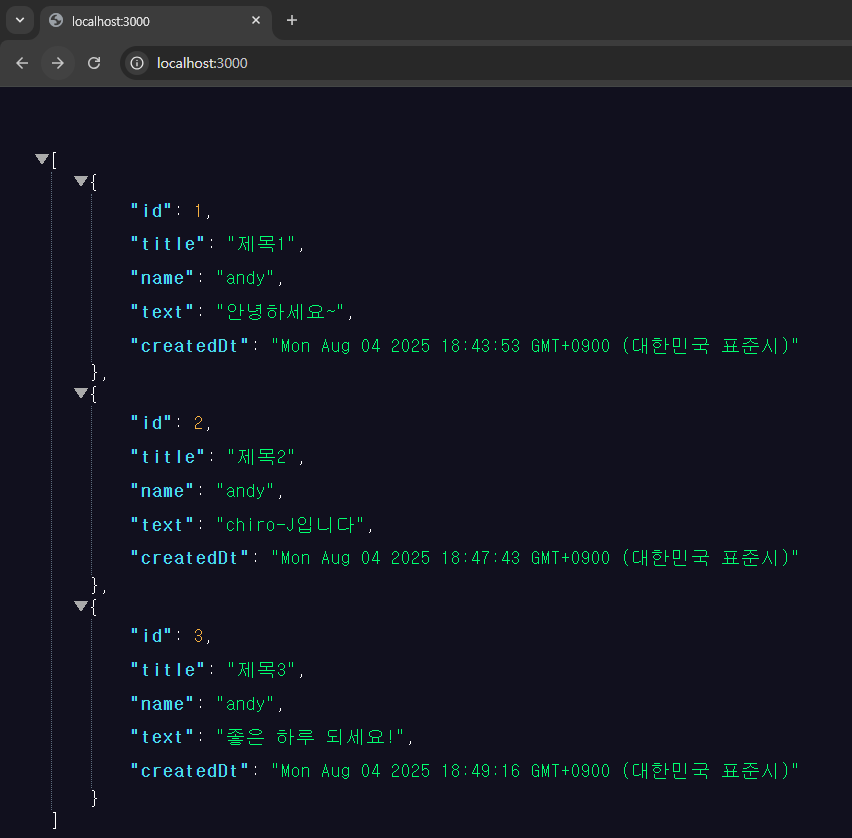

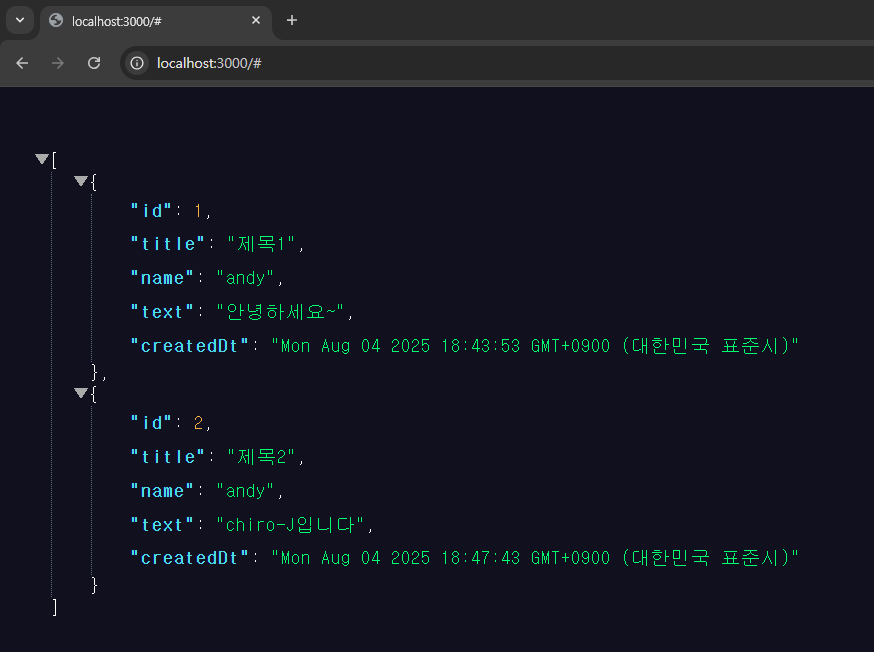
1. 게시판 조회 (GET)
# 터미널에 입력
curl -X GET http://localhost:3000
2. 게시글 작성 (POST)
# 터미널에 입력
curl -X POST -H "Content-Type: application/x-www-form-urlencoded" -d "title=제목1&name=andy&text=안녕하세요~" http://localhost:3000/posts
+ 2개만 더 해보기
curl -X POST -H "Content-Type: application/x-www-form-urlencoded" -d "title=제목2&name=andy&text=chiro-J입니다" http://localhost:3000/postscurl -X POST -H "Content-Type: application/x-www-form-urlencoded" -d "title=제목3&name=andy&text=좋은 하루 되세요!" http://localhost:3000/posts
3. 게시글 삭제 (DELETE)
- 마지막 3번째 (2번 인덱스) 글을 지워보자
# 터미널에 입력
curl -X DELETE localhost:3000/posts/3
※ curl 옵션 정리
더보기
기본 옵션
| 옵션 | 설명 | 예시 |
| -X 또는 --request | HTTP 메서드 지정 | curl -X POST http://localhost:3000/api/users |
| -H 또는 --header | 요청 헤더 추가 | curl -H "Content-Type: application/json" |
| -d 또는 --data | POST 데이터 전송 | curl -d '{"name":"김철수"}' |
| -i 또는 --include | 응답 헤더 포함하여 출력 | curl -i http://localhost:3000/api/users |
| -v 또는 --verbose | 상세한 요청/응답 정보 출력 | curl -v http://localhost:3000/api/users |
데이터 전송 옵션
| 옵션 | 설명 | 예시 |
| --data-raw | 원시 데이터 전송 | curl --data-raw '{"age":25}' |
| --data-binary | 바이너리 데이터 전송 | curl --data-binary @file.json |
| -F 또는 --form | 폼 데이터 전송 (multipart) | curl -F "file=@image.jpg" |
| @filename | 파일에서 데이터 읽기 | curl -d @data.json |
인증 관련 옵션
| 옵션 | 설명 | 예시 |
| -u 또는 --user | Basic 인증 | curl -u username:password |
| -H "Authorization" | Bearer 토큰 인증 | curl -H "Authorization: Bearer token123" |
| -b 또는 --cookie | 쿠키 전송 | curl -b "session=abc123" |
| -c 또는 --cookie-jar | 쿠키 저장 | curl -c cookies.txt |
출력 제어 옵션
| 옵션 | 설명 | 예시 |
| -o 또는 --output | 출력을 파일로 저장 | curl -o response.json |
| -s 또는 --silent | 진행률 표시 숨김 | curl -s http://localhost:3000/api/users |
| -S 또는 --show-error | silent 모드에서도 에러 표시 | curl -sS http://localhost:3000/api/users |
| -w 또는 --write-out | 특정 정보 출력 형식 지정 | curl -w "%{http_code}\n" |
연결 및 타임아웃 옵션
| 옵션 | 설명 | 예시 |
| --connect-timeout | 연결 타임아웃 설정 (초) | curl --connect-timeout 10 |
| --max-time | 전체 작업 타임아웃 설정 (초) | curl --max-time 30 |
| -k 또는 --insecure | SSL 인증서 검증 무시 | curl -k https://localhost:3000 |
| --retry | 실패 시 재시도 횟수 | curl --retry 3 |
반응형
'Back-End > Express.js' 카테고리의 다른 글
| Express.js #3 (Node.js → Express.js 리팩터링) (0) | 2025.08.04 |
|---|---|
| Express.js #2 (시작하기) (0) | 2025.08.04 |
| Express.js #1 (소개 및 개요) (1) | 2025.08.04 |
| Express.js #0 (설치 및 환경 구축) (0) | 2025.08.04 |

