
위 스샷처럼 여러가지 친숙한 느낌의 아이콘들을 무료로 쓸 수 있다. (구글)
(사전 작업은 이전 글인 아래 링크에서 해둔 상태 그대로 계속 이어감.)
https://chiro-j.tistory.com/70
React #6 (CSS - bootstrap)
※ 사전 작업더보기프로젝트 생성npx create-react-app ch03_1 --template typescript 패키지 설치npm i chance luxonnpm i -D @types/chance @types/luxon 컴포넌트 파일 만들기// ch03_1/src/pages 디렉토리 안에 들어가는 컴포넌
chiro-j.tistory.com
https://fonts.google.com/icons
Material Symbols and Icons - Google Fonts
Material Symbols are our newest icons consolidating over 2,500 glyphs in a single font file with a wide range of design variants.
fonts.google.com
CDN 방식
- 링크로 첨부해서 설치 없이 바로 이용 가능.
src/index.css
/* @import "https://fonts.googleapis.com/icon?family=Material+Icons"; */

.material-icons {
  font-family: "Material Icons";
  display: inline-block;
}
src/pages/Icon.tsx
- CSS 선택자 중에 클래스 선택자로 className이 "material-icons" 인 것을 호출, 내용에서 어떤 아이콘인지 지정.
export default function Icon() {
  return (
    <div>
      <h3>Icon</h3>
      <span className="material-icons">home</span>
      <span className="material-icons">check_circle_outline</span>
    </div>
  );
}

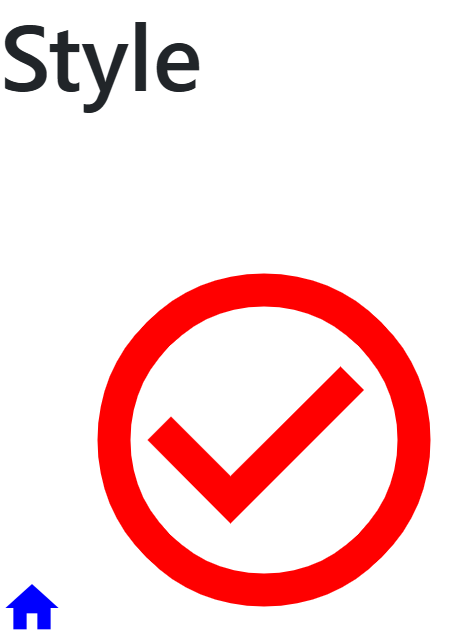
스타일도 적용 가능
export default function Style() {
  return (
    <div>
      <h3>Style</h3>
      <span className="material-icons" style={{ color: "blue" }}>
        home
      </span>
      <span
        className="material-icons"
        style={{ fontSize: "100px", color: "red" }}
      >
        check_circle_outline
      </span>
    </div>
  );
}
아이콘 컴포넌트를 만들어서
src/components/Icon.tsx
import type { FC } from "react";

export type IconProps = {
  name: string;
  style?: React.CSSProperties;
};

export const Icon: FC<IconProps> = ({ name, style }) => {
  return (
    <span className="material-icons" style={style}>
      {name}
    </span>
  );
};
인라인으로 스타일 적용도 가능
import { Icon } from "../components";

export default function UsingIcon() {
  return (
    <div>
      <h3>UsingIcon</h3>
      <Icon name="home" style={{ color: "green" }} />
    </div>
  );
}

패키지 설치 방식
- 그냥 패키지를 설치해버리기
npm i @fontsource/material-icons
package.json

src/index.tsx
import "@fontsource/material-icons";
'Front-End > React' 카테고리의 다른 글
| React #9 (CSS - 박스모델) (2) | 2025.07.10 |
|---|---|
| React #8 (CSS - TailwindCSS) (0) | 2025.07.10 |
| React #6 (CSS - bootstrap) (1) | 2025.07.09 |
| React #5 (이벤트) (2) | 2025.07.09 |
| React #4 (key & children 속성) (1) | 2025.07.09 |


