※ 이전 글에서 실습했던 프로젝트 그대로 이어서 진행
https://chiro-j.tistory.com/76
React #12 (CSS - daisyUI: Button & Icon)
※ 사전 작업더보기아래 github 레포지토리로 가서 다운로드 받아서, ch03 아래의 ch03_4만 가져오기https://github.com/yisj777s/doit-react-webapp-typescript/tree/main 챕터 3-5 프로젝트 폴더 생성npx create-react-app ch03
chiro-j.tistory.com
input 컴포넌트 생성
touch src/theme/daisyui/Input.tsx
input 컴포넌트 구현
src/theme/daisyui/Input.tsx
import {FC, DetailedHTMLProps, InputHTMLAttributes} from 'react'

export type ReactInputProps = DetailedHTMLProps<
  InputHTMLAttributes<HTMLInputElement>,
  HTMLInputElement
>

export type InputProps = ReactInputProps & {}

export const Input: FC<InputProps> = ({className: _className, ...inputProps}) => {
  const className = ['input', _className].join(' ')

  return <input {...inputProps} className={className} />
}
input 컴포넌트 반영
src/theme/daisyui/index.ts
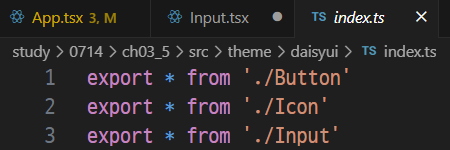
input Test index 구현
src/pages/InputTest/index.tsx
import Basic from './Basic'
import Color from './Color'
import Border from './Border'
import Size from './Size'


export default function inputTest() {
  return (
    <section className="mt-4">
      <h2 className="text-5xl font-bold text-center">inputTest</h2>
      <div className="mt-4">
        <Size />
        <Border />
        <Color />
        <Basic />
      </div>
    </section>
  )
}
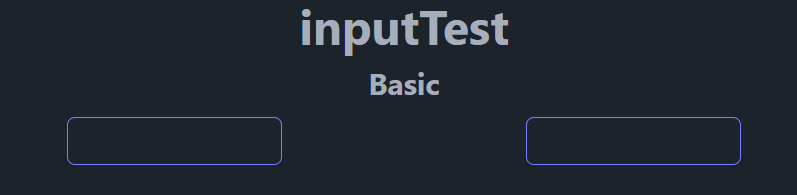
input 컴포넌트 사용 - basic
src.pages/InputTest/Basic.tsx
import {Input} from '../../theme/daisyui'

export default function Basic() {
  return (
    <section className="mt-4">
      <h2 className="text-3xl font-bold text-center">Basic</h2>
      <div className="flex mt-4 justify-evenly">
        <input className="input input-primary" />
        <Input className="input-primary" />
      </div>
    </section>
  )
}
(app.tsx 에서 ButtonTest 쪽은 주석 처리 해둘 것)
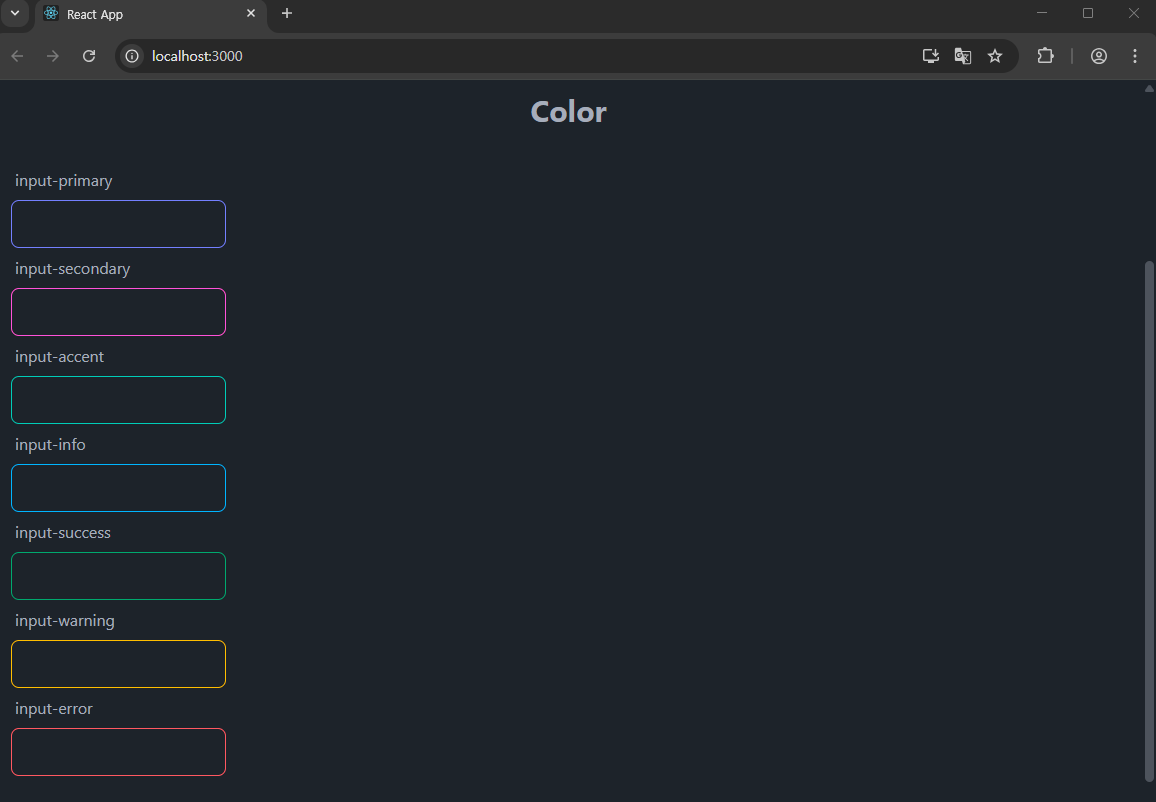
Input Color 관련
src./pages/InputTest/Color.tsx
import {Input} from '../../theme/daisyui'

export default function Color() {

  return (
    <section className="mt-4">
      <h2 className="text-3xl font-bold text-center">Color</h2>
      <div className="flex flex-col p-4 mt-4">

        <div>
          <label className="label">input-primary</label>
          <Input className="input-primary" />
        </div>

        <div>
          <label className="label">input-secondary</label>
          <Input className="input-secondary" />
        </div>

        <div>
          <label className="label">input-accent</label>
          <Input className="input-accent" />
        </div>

        <div>
          <label className="label">input-info</label>
          <Input className="input-info" />
        </div>

        <div>
          <label className="label">input-success</label>
          <Input className="input-success" />
        </div>

        <div>
          <label className="label">input-warning</label>
          <Input className="input-warning" />
        </div>

        <div>
          <label className="label">input-error</label>
          <Input className="input-error" />
        </div>

      </div>
    </section>
  )
}
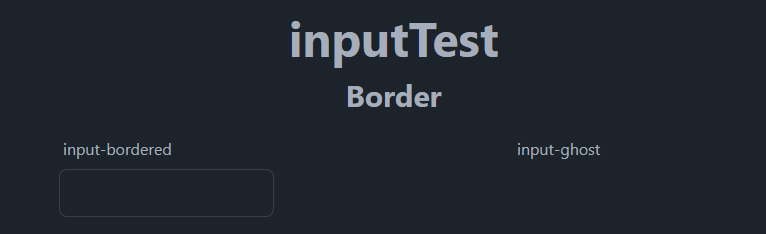
Input - Border (테두리) 관련
src/pages/InputTest/Border.tsx
import {Input} from '../../theme/daisyui'

export default function Border() {

  return (
    <section className="mt-4">
      <h2 className="text-3xl font-bold text-center">Border</h2>
      <div className="flex mt-4 justify-evenly">

        <div>
          <label className="label">input-bordered</label>
          <Input className="input-bordered" />
        </div>

        <div>
          <label className="label">input-ghost</label>
          <Input className="input-ghost" />
        </div>

      </div>
    </section>
  )
}
(ghost는 일반적으로 테두리가 보이지 않으며, 클릭했을 때 보임)
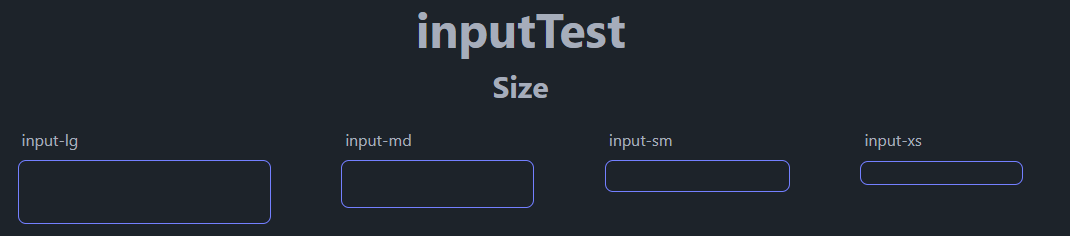
Input - Size 관련
src/pages/InputTest/Size.tsx
import { Input } from '../../theme/daisyui'

export default function Size() {

  return (
    <section className="mt-4">
      <h2 className="text-3xl font-bold text-center">Size</h2>

      <div className="flex mt-4 justify-evenly">
        <div>
          <label className="label">input-lg</label>
          <Input className="input-primary input-lg" />
        </div>

        <div>
          <label className="label">input-md</label>
          <Input className="input-primary input-md" />
        </div>

        <div>
          <label className="label">input-sm</label>
          <Input className="input-primary input-sm" />
        </div>

        <div>
          <label className="label">input-xs</label>
          <Input className="input-primary input-xs" />
        </div>

      </div>
    </section>
  )
}
Modal 컴포넌트
(App.tsx 가서 inputTest를 주석처리 해둘 것.)
modal 컴포넌트 생성
touch src/theme/daisyui/Modal.tsx
modal 컴포넌트 구현
src/theme/daisyui/Modal.tsx
import type {FC} from 'react'
import type {ReactDivProps} from '../../components'
import {Div} from '../../components'
import {Icon} from './Icon'


export type ModalProps = ReactDivProps & {
  open?: boolean
}

export const Modal: FC<ModalProps> = ({open, className: _className, ...props}) => {
  const className = ['modal', open ? 'modal-open' : '', _className].join(' ')
  return <div {...props} className={className} />
}

export type ModalContentProps = ReactDivProps & {
  onCloseIconClicked?: () => void
  closeIconClassName?: string
}

export const ModalContent: FC<ModalContentProps> = ({
  onCloseIconClicked,
  closeIconClassName: _closeIconClassName,
  className: _className,
  children,
  ...props
}) => {
  const showCloseIcon = onCloseIconClicked ? true : false
  const className = ['modal-box', showCloseIcon && 'relative', _className].join(' ')
  if (!showCloseIcon) return <div {...props} className={className} children={children} />

  const closeIconClassName = _closeIconClassName ?? 'btn-primary btn-outline btn-sm'

  return (
    <div {...props} className={className}>
      <Div className="absolute" right="0.5rem" top="0.5rem">
        <Icon name="close" className={closeIconClassName} onClick={onCloseIconClicked} />
      </Div>
      {children}
    </div>
  )
}

export type ModalActionProps = ReactDivProps & {}

export const ModalAction: FC<ModalActionProps> = ({className: _className, ...props}) => {
  const className = ['modal-action', _className].join(' ')

  return <div {...props} className={className} />
}
modal 컴포넌트 반영하기
src/theme/index.ts

modal 컴포넌트 사용하기
src/pages/ModalTest.tsx
import { Title, Subtitle } from '../components'
import { Modal, ModalContent, ModalAction, Button } from '../theme/daisyui'
import * as D from '../data'


export default function ModalTest() {
  const open = true // 혹은 false
  const closeClicked = () => alert('closeClicked')
  const acceptClicked = () => alert('acceptClicked')

  return (
    <section className="mt-4">

      <Title>ModalTest</Title>

      <Modal open={open}>
        <ModalContent onCloseIconClicked={closeClicked}>

          <Subtitle>Modal</Subtitle>
          <p className="mt-4 text-justify">{D.randomParagraphs()}</p>

          <ModalAction>
            <Button className="w-24 btn-primary btn-sm" onClick={acceptClicked}>
              Accept
            </Button>

            <Button className="w-24 btn-sm" onClick={closeClicked}>
              Close
            </Button>
          </ModalAction>

        </ModalContent>
      </Modal>
    </section>
  )
}
팝업은 아닌데, 이미지를 눌렀을 때 크게 볼 때나, 아마 광고에 쓰지 않았었나 싶다.
'Front-End > React' 카테고리의 다른 글
| React #14 (훅, 상태관리 - useState, useEffect) (0) | 2025.07.15 |
|---|---|
| React #13 (포트폴리오 용 여러가지 만들기-프로필 카드) (1) | 2025.07.15 |
| React #12-1 (CSS - daisyUI: Button & Icon) (0) | 2025.07.14 |
| React #11 (CSS - user & card) (0) | 2025.07.14 |
| React #10 (CSS - flexbox layout) (0) | 2025.07.14 |


